
Over 270 player updates: one forged design, one-tap logging and Evolution for every exercise
Over 270 changes you'll see in the game, and over 1,050 more behind the scenes, in the four weeks since Update III.
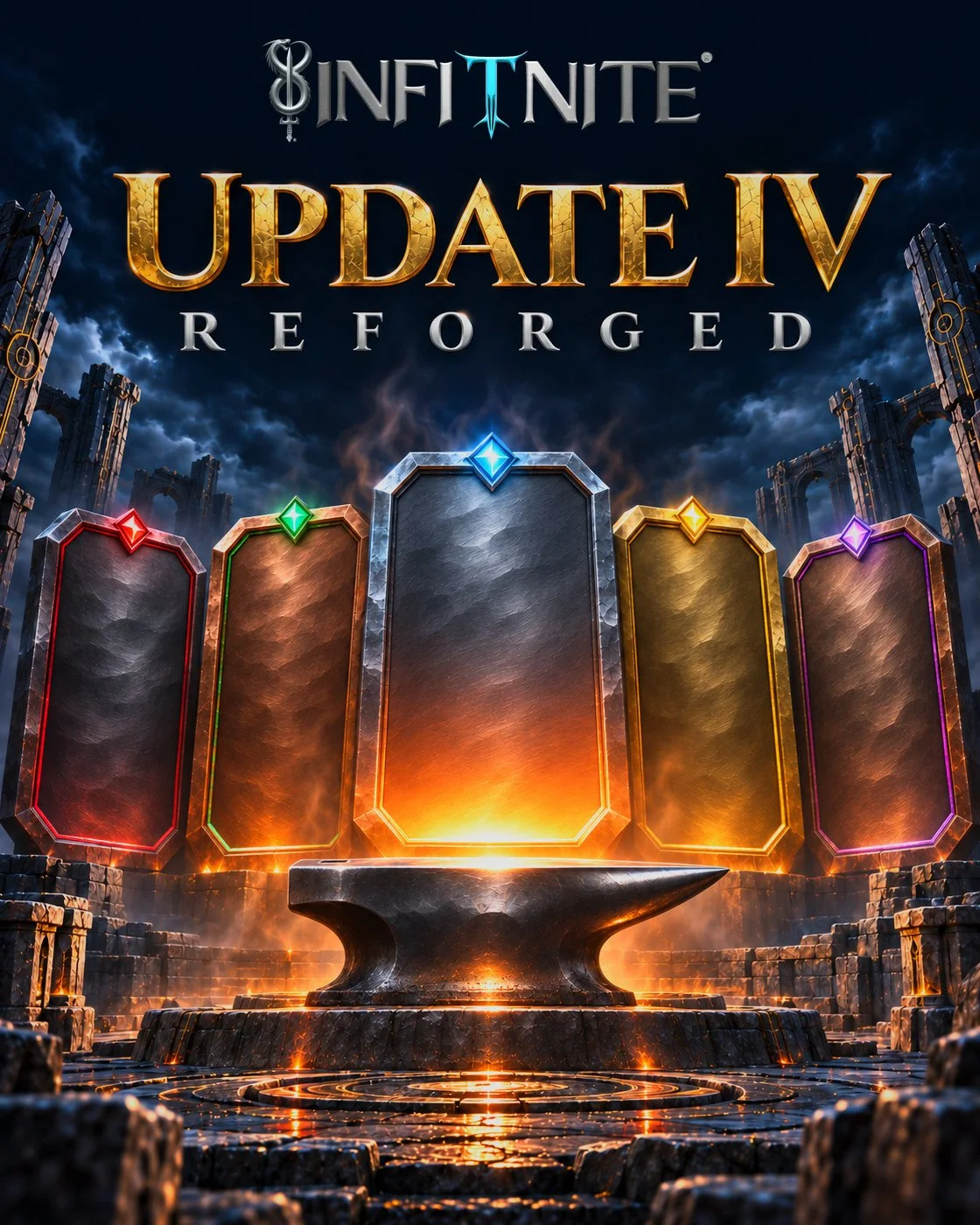
Update IV: Reforged gives Infitnite one new design, from the title screen to the last menu, and rebuilds the core of the game underneath it. Logging a workout takes one tap per set. Each monster you beat pays out the moment it falls. Monster Evolution reaches every kind of exercise, the leaderboards open on your own rank, and you can train one-on-one with a real human coach.
A quick word for anyone arriving now: in Infitnite, your real workouts, meals, learning and time with other Warriors (that's what we call players) level up your Avatar, the hero you play as.
Update IV by the numbers
Over 270 changes players will see in the game
Over 1,050 more behind the scenes
2,046 hand-built buttons down to 13, with 2,537 buttons now on one shared control
383 icons made for Infitnite (it was 148), drawn in 2,866 places (it was 166)
79% of the game's screen files changed (1,864 of 2,345)
5 hubs, each in its own forged material
4 text sizes and 3 color-blind palettes
41 kinds of World Pulse moments (it was 9)
4 breathing rites in the Silent Shrine (it was 1)
12 Surges a day (it was 8)
Jump to the full change list, one section per hub and system.
Update IV at a glance
One forged design on every screen. Buttons, menus, sheets and switches share one look, and each of the five hubs has its own material.
Icons made for Infitnite. 383 of them replace the stock icons and phone emoji.
See the game your way, with four text sizes, three color-blind palettes, High Contrast, Reduce Motion and Reduce Transparency.
Choose your hero, then fly in. The title screen carries you into a full-screen Avatar select.
One tap logs a set, in a single list that fills in your last weight.
Every encounter is a victory. A monster pays its rewards the moment you beat it.
Heavy sets hit hardest, and every rep has a chance to crit.
Monster Evolution for every kind of exercise, with an Empower bar that every set fills.
Leaderboards that open on your own rank.
Train one-on-one with a Wizard, a real human coach.
Update to version 5.4.0 from the App Store or Google Play to get all of it. Anything handled on our side is live already.
One forged design on every screen
Until this update, Infitnite had 2,046 hand-built buttons, each drawn its own way. Now it has 13. The rest moved onto one shared control, so every button in the game looks, presses, sounds and buzzes the same way, with a tap target big enough for a thumb. Sheets and pop-up windows get a framed header, menus and switches match, actions that delete something are red, and the browser's own pop-ups are gone, replaced by confirmations that look like the game.
Five hubs, five materials
The Nexus is your home screen, and four hubs sit around it: Combat for training, Alchemy for nutrition, Intellect for the mind and Influence for community. Each of the five now has its own material, with panels on painted grounds in iron, lacquer, verdigris, brass and plum enamel. Every hub has a compact top bar with its main action in reach, and time-limited and personal icons float underneath it, so more of each hub fits on your screen.
Infitnite's own icon art
383 icons made for Infitnite (it was 148) replace the stock icons and phone emoji that used to be mixed in. They're drawn in 2,866 places across the game (it was 166): the battle screen and the Combat hub, every hub, menu and ceremony, the Bestiary (your log of each monster you've fought), equipment, Alchemy's resources, rarity tiers, lineages, game controls, and reactions in chat and World Pulse. One size system keeps any of them from coming out tiny.
See the game your way
Text Size scales the words across the game, from Small to Extra Large. Colorblind Mode adds three palettes, for Protanopia, Deuteranopia and Tritanopia. High Contrast brightens dim text and turns see-through glass panels solid, with a visible edge. Reduce Motion and Reduce Transparency reach every screen, and text wraps on small phones and at the largest sizes instead of getting cut off. On tablets and wide screens, the game sits in a centered column.
Settings > Display also has a new Effects section for graphics quality, motion, Battery Saver and combat effects. Your device's own recommendation comes first, and a choice you make yourself is never lowered behind your back.
Choose your hero, then fly in
The title screen now flies you straight through the portal into a full-screen Avatar select. Pick your hero and it zooms you into the Nexus. If you play more than one Avatar, tap the star beside a name to mark your favorite, and the select opens on it each time. Daily rewards and notices wait until you've landed, so nothing pops up mid-flight.
One tap logs a set
Logging a fight is rebuilt from start to finish. Every fight opens with a Round Call: tap Engage, FIGHT lands, and you're in. Your sets sit in one list with your last weight already filled in. Tap Strike to log a set, edit any row in place, and watch a pinned bar show your rank and the next one to chase. The Log button sits above the bottom bar, so you never scroll to find it.
A set that beats a personal record gets a PR tag naming the record. The logger no longer caps your numbers either, so a long hold or a big set goes in exactly as you did it.
Every encounter is a victory
A Quest is a workout you play through, and each encounter in it is one monster fight. Beat an encounter and it pays its share of your rewards right away. A victory moment shows your grade and effort, your XP counts up and the bar fills, with LEVEL UP shown in place. The end of the Quest pays the rest, so a full Quest still earns what it always did, and if you stop early you keep what the encounters already paid.
Big moments, like a new Warrior level, an Awakening star, a Monster Evolution or a new title, get a full-screen celebration, never in the middle of a set or your rest. Celebrations are faster and calmer, and you can skip them from the first frame. Training with no signal? Keep going. The rewards land once your signal returns.
Heavy sets hit hardest
Weighted lifts now deal damage from the strength each set shows, not weight times reps, so a heavy set near your best hits hardest. Before you lift, a fight plan shows the monster's HP, the top set to work up to, which form a win unlocks, how much HP your planned weights would deal and your chance to crit. On a normal fight, the HP you need to deal is scaled to your own best lift.
Every rep can crit. Your chance starts at 5% per rep, rises with your Crit Rate and the quality of the set, and tops out at 15%. A crit deals ×1.25 to ×1.5 damage. Set a personal record and it becomes a PR Strike: every rep in that set crits for ×1.5.
See which muscles you worked
When a Quest ends, your results show a Muscle Recovery card: a body map of the muscles that Quest trained, each with an estimate of when it'll be ready again. Your muscle readiness now updates after every Quest. It's an estimate from your recent training, not medical advice.
Monster Evolution for every kind of exercise
Update III brought Monster Evolution, from Lesser up to Legendary. Update IV brings Evolution to every kind of exercise. Push-ups, sit-ups, squats, burpees and jump rope grow with more reps in a set. Planks grow with a longer hold. Pull-ups and dips grow with more added weight for your bodyweight. Runs, rows, SkiErg and swims get a monster whose form follows your pace as it gets faster, just for show.
The Empower bar
Every set you log against an evolving monster fills its Empower bar. Easy sets add a little, sets near your next milestone add more, and sets past it add the most. The monster Empowers at 20%, 40%, 60% and 80%, and each step unlocks a stronger form for your next fight, with Keep current form one tap away. A full bar means Ready to Evolve. There are no session counts or daily step limits, so the way you train sets the pace, and you can watch the bar fill during the fight, on the rest screen and in your results.
Evolve with one strong set
When a monster is Ready to Evolve, the fight shows your Evolve set, a milestone for your body. On weighted lifts it comes from an estimated one-rep max (the most you could lift once) for your sex, age and bodyweight, and you never have to attempt a true max. Log one set that reaches it and the monster evolves right there. A set that falls short costs nothing. Work past a full bar carries into the next Evolution as a head start, and filling the bar through a monster's final forms Masters it.
Leaderboards that open on your rank
Champion's Court, the game's home for leaderboards, now opens each board on a compact list with your own rank up front. A picker groups the boards so real-world lifts and fantasy boards stay apart, and your saved filters and weight class stick. Per-lift boards show a star that rates the lift for your body. As you scroll, your own row stays pinned at the bottom.
Monster boards rank by the new Evolution score, and every earlier entry carried over. Bench press is now part of your Strength Standing. Rows show only the rank and the board's number. Body details stay as filters, and a weight band and a height band can't be combined, so nobody can work out your BMI.
Train one-on-one with a Wizard
In Infitnite, a Wizard is a real human coach. Warriors enrolled in a Sovereign coaching plan get the Wizard's Sanctum: messages with their Wizard, weekly check-ins, private weekly progress photos, guided first steps, and an evaluation week that sets your starting points before the first program. Depending on your plan, you and your Wizard can meet by video call inside the app.
Your Wizard can build you a meal plan, which shows on your Meal Board as planned against logged, and the Quests and habits they assign appear in the hubs you already use. If coaching ends, your coaching records stay with your account. You can look through the Sovereign plans in the Market and book a free consultation from there.
Weekly streaks for every pillar
The Four Pillars are the four sides of training in Infitnite: Combat for workouts, Alchemy for nutrition, Intellect for the mind and Influence for community. The Today card now shows which pillars you've covered today.
Combat, Intellect and Influence now keep weekly streaks. A Streaks card on your Profile shows each pillar with a goal you choose, a streak chip appears on every hub, and returning players get their current and longest weekly streaks filled in from their history. Long streaks earn milestones at weeks 2, 4, 8, 12, 26, 52 and 104, with a permanent title at weeks 12 and 52. Need a break? Rest Mode pauses a pillar's weekly streak for up to 4 weeks.
Your guides speak
The Council of Guides now appear with their portraits when they narrate a tour, and each one speaks a welcome line on the hub tour in your race's voice. Tap the speaker to mute them, or turn Guide voice off in Audio settings. The first time you reach each step of a Quest, a short guide shows you what to do.
Inside Vanguard, the paid membership, each location now has a resident with a name, a title and a greeting, and the resident narrates that location's tours.
World Pulse celebrates far more
World Pulse is the game's live feed of what Warriors around the world are achieving. It now has 41 kinds of moments to celebrate (it was 9): first Quests, Monster Evolutions, titles, streaks, comebacks, top divisions and more. A world first goes to the first Warrior anywhere to reach a milestone, and a daily recap sums up yesterday.
Set a weight goal, cut or bulk, choose "Yes, celebrate", and World Pulse cheers every 5 lb (2.5 kg) you lose or gain toward it, up to 250 lb. It never shows your weight, and you can turn it off on the goal at any time.
More ways to train and recover
Four breathing rites in the Silent Shrine (it was one): Box breath, Cyclic sigh, Long exhale and Silent sit. The Silent Shrine is where a breathing session earns Intellect XP, and it remembers the rite you picked last.
Bedtime Breathing in the Dream Chamber, with an optional bedtime reminder that stays off unless you switch it on.
No Equipment quests for every race, at every tier.
Workouts that fit your gear. Tell the game what equipment you have once, and workouts and swaps follow it.
Up to 12 Surges a day (it was 8). A Surge is an extra wave of monsters after a win.
Synced workouts can open a Rift, a surprise bonus fight against a rare monster. A synced workout of 10 minutes or more has a 1 in 5 chance.
Your health data, your call
Some of what you tell the game is health information, so it now asks first. Post-workout mood and pain, the pre-workout check-in and sleep you log by hand are saved only if you turn on Health check-ins. Tender Spots, the sore areas you mark so workouts steer around them, ask for your permission before they're saved, and every suggested workout now avoids them. Fountain reflections stay on your device unless you agree to save them. Your rewards are the same either way.
Smaller fixes you'll feel
The app opens normally again on older iPhones and other older phones.
Walks, hikes and other cardio Quests clear in full again.
Food search finds plurals and portions, and long searches show close matches instead of nothing.
Claim All works when you have a lot of missions waiting.
A Quest that resumes after the app closes keeps its progress and pays its rewards.
The list at the end holds every change players will see, one section per hub and system.
Balance changes
Some rules got stricter in this update. Below each one is what stays yours:
Evolving takes one set at your milestone, not just a win, and the Empower bar replaces Empowering from a single win at a stronger form. Every form you've earned stays yours, and a set that falls short loses nothing.
A hard set no longer guarantees a crit, and a personal record crits for ×1.5. On normal weighted-lift fights, reps far past your plan count for less.
Rift wins pay Warrior XP, Awakening XP and shards instead of Combat XP, because Discipline XP comes from your real workouts. Warrior XP from a Rift win is figured the same way as before.
A Living Quest run gets one Rift chance, when it ends, like any other Quest. A Living Quest is a workout adventure that unfolds one decision at a time.
Reserve Grandmaster is retired, along with banked waves. If you earned it, it's still yours.
Habit Target days follow your edits. If editing meals or water drops a day below its target, the day and its XP come off; meet the target again and both come back.
Built with your reports
Some of the fixes in Update IV began as reports in the Warrior's Circle, the forum inside the game: combat fixes, personal-record history for renamed lifts, protein totals after meal edits, and the Engage button hiding on shorter phones. Thank you for reporting what breaks.
From the very beginning of launch, I wanted to spend more time improving the quality of our assets and creating our own theme and style. I made the UI very early in development, along with a handful of assets, and realized how long just one asset took me. With hundreds, if not thousands, of assets to make, that time would have taken me away from fixing bugs, listening to players and focusing on the core gameplay loop. So I decided to build these assets slowly, over time, while working on everything else. After months, I finally get to release all of it: 100% coverage of every asset, with 0 placeholders. That's a HUGE milestone. The only things left are monsters and characters, which will be added periodically instead of all at once in a single update.
When you've played with it for a while, share your favorite hub look with other Warriors in the Warrior's Circle.
Infitnite is free to start as a Pathfinder, and Vanguard membership adds its locations and tools on top. Get it on the App Store or Google Play.
Every player-facing change in Update IV
Tap any part of the game to open its changes. Reduced marks a number or benefit that went down, with what you keep.
The Whole Game, Redesigned24 changes
- One forged design on every screen. Buttons, tiles, sheets, menus and switches now share one look and one feel. Hand-built buttons went from 2,046 to 13 as they moved onto the same controls, each with a 44 px tap target and a single haptic and sound per press. Modals and sheets get a framed header, hub panels sit on painted grounds, and the browser's own pop-ups are replaced by in-game confirmations.
- Infitnite's own icons across the whole game. Infitnite's own icon art replaces stock icons and phone emoji everywhere you look. That includes the Combat hub and battle screen, every hub, menu and ceremony, Bestiary families, equipment and movements, Alchemy's Mana, Charges and Essences, the rarity tiers from Common to Celestial, Gems, all 30 lineages, game controls, status marks, and chat and World Pulse reactions. Icons follow one size system, so none come out tiny.
- See the game your way. Text Size (Small to Extra Large) scales text across the game. Colorblind Mode adds Protanopia, Deuteranopia and Tritanopia palettes. High Contrast brightens dim text and makes glass panels solid with a visible edge, and Reduce Motion and Reduce Transparency reach every screen.
- A cleaner Nexus and hubs. The Nexus has a new layout. Hubs show a cue for places you haven't explored yet, the Hearth has fewer rows, and every hub has a compact top bar with its main action in reach. Time-limited and personal icons float under the hub bar.
- Choose your hero, then fly in. The title screen flies straight through the portal into a full-screen Avatar select, and your chosen hero zooms you into the Nexus. Your favorite Avatar is marked with a star and comes up first.
- Your guides go by name. The game's guides appear by name, like the Spellsword and the Alchemist, instead of carrying an AI badge. Settings still explains how the game uses AI, and a guide's chat offers a retry when a reply doesn't come through.
- Built for every screen size. On tablets and wide screens the game sits in a centered column. Phones with side cut-outs keep content clear of them, and text wraps instead of cutting off on small phones and at large text sizes.
- Every screen now uses the same forged frame: buttons, tiles, sheets, menus and switches share one look, destructive actions are red, and the browser pop-ups are replaced by in-game confirmations. The loading screen keeps its own art, and everything holds still when Reduce Motion is on.
- Small buttons are easier to hit and press feedback is cleaner. Icon buttons, chips and day cells now have at least a 44 px tap target, and each press plays one haptic and sound cue instead of two.
- Buttons now share one look and one feel, with a single haptic per press where some used to buzz twice. Modals and sheets get a framed header with a crest, a rule and a 44 px close button.
- Spend buttons read clearly, for example Brew, 1 Invocation. The playtime streak milestones are drawn as a track with today's marker, and the streak Claim button is now a full 44 px button instead of a small one.
- Hub screens get a consistent framed look. Buttons and sections on all five hubs use the new frame style, the smallest shared text sizes are raised to 11 px, and the gold button style is kept for rewards you can claim. The Intellect primary button is dark brass instead of filled amber, and the Enchanter's Compass uses the right Intellect and Influence colours.
- Grant Health Access is no longer an amber button, and the streak rows use the shared press feel with one cue.
- Hub panels get painted grounds in iron, lacquer, verdigris, brass and plum enamel, and the monster portrait on the defeat screen is framed by a rank ring that matches the encounter's rank.
- Set logging, the cardio timer, voice meal entry and the interval timers take a calmer panel style, and the rest timer no longer pulses its heading or zooms in. The Chronicle reader, monster lore, the post-quest recap, the generated meal plan and the Hall of Deeds use a warm ledger look that holds up under Reduce Transparency and High Contrast.
- The Go button on locked location sheets is no longer amber, since amber is for claimable rewards. The coming-soon badges on that sheet, Druid's Grove and Warden's Bastion are now neutral slate with slightly larger text.
- Time-limited icons sit on the left edge and personal ones on the right, floating under the hub bar and folding into trays that drop down, and the buff count drops expired buffs.
- Cleaner hubs. All five hubs now use a compact top bar with the main action pinned in reach, and the menu moves into a single overflow button, so more of each hub fits on your screen.
- Every avatar frame now wears a painted metal ring in its rarity colour. The Legendary-and-above diamonds, orbiting sparkles and the Celestial aurora also sit where they should around the frame.
- Celebrations are faster and calmer. The biggest ceremonies now fit inside 3.5 seconds with the sound landing on the reveal and waiting for your tap, Skip works from the first frame, no ceremony shakes the screen, and a batch of rewards (such as Claim All or a streak surprise drop) now shows as a strip of cards.
- Four more ceremonies, the power-down toast, the rank demotion card, the rarity-plus toast and the personal record celebration, now play their sound exactly when the picture hits, and they can be skipped from the first frame. The awakening, avatar border and monster evolved ceremonies no longer hold their picture 60 ms for the sound.
- Ceremony sounds now land exactly on the reveal. Eleven ceremonies take their sound from one shared clock, so impacts no longer drift behind the picture and skipping no longer leaves a stray sound.
- Skipping a ceremony now plays its one sound at the skip, so a stray sound no longer arrives later over the settled picture.
- The Silent Shrine's silent sit now rings a soft singing-bowl bell. The Silent Shrine browser extension rings the same bell at the start and end of a sit, and the Waterspring extension plays the water sound on each cup. Both can be switched off.
Interface, Screens & Stability17 changes
- A cooler title screen on iPhone. The title screen runs lighter on iPhone, with the same look, so your phone stays cooler on launch.
- Idle Nexus runs cooler. The full-screen ambient overlay no longer animates opacity forever, and ready portal cards pulse an inner rim glow instead of animating a box shadow. The tier-colored glow on those cards works now; a tier name made every color invalid before.
- The app opens on older phones again. A crash stopped the app from opening on older iPhones (before iOS 15.4) and other older phones. It opens normally now.
- History explains when it can't load. If your battle history can't load, History says so in plain words instead of showing a code.
- Text no longer cut off on small screens or large text. Cards, menu rows, headers, the quest pill and the training week wrap instead of truncating at 320px widths and 200% text size, and Reduce Transparency now gives the current tab and checked boxes a solid ring.
- Cleaner, more consistent screens. Ceremonies you tap to continue also work from the keyboard, and more screens, including onboarding steps and the Vanguard resident cards, use the shared Forged Frame buttons and type.
- Smoother switching and navigation. Switching avatars, quick-creating an avatar, achievements, missions and the back button now behave as expected, and each hub keeps its own theme.
- Notifications with an action keep their text readable on small screens. The action and dismiss buttons sit below the message instead of squeezing words into a narrow column.
- Language switches never half-load. Switching language retries a language file that fails to load, once. If it still fails, your language stays as it was instead of switching to a half-loaded one.
- More of the game in Spanish. Exercise instructions and names, lore lines and player titles now read in Spanish, with English as a fallback, and the Spanish text works offline.
- Out-of-date builds reload on their own. When a hub destination fails to load because your app build is out of date, the app reloads once on its own instead of showing a Retry pill that can't help. Offline and one-off errors still show Retry, with a bigger tap target, in English and Spanish.
- Bottom bar labels fit. Tab labels in the bottom bar no longer run over the next icon on narrow phones; the bar picks a layout that fits and keeps its height.
- Labels, chips, claim rows and list headings now wrap on narrow phones and at the largest text size, so nothing is cut off or pushed sideways.
- More legacy labels and small action buttons now follow your Text Size preference.
- Better fit on folding and narrow phones. On iPhone Duo and other narrow screens, the forum composer, world chat, the showcase grid and the weight and reps fields now fit the screen, hub switching works from the cover screen, and on the unfolded inner screen the hub tabs stay clear of the fold.** Voice dictation tells you plainly when it isn't available and starts cleanly on the next try.
- Interior locations have one scroller, return to where you were scrolled when you go Back, and the Wizard message box stays above the keyboard.
- Fixes from Update IV testing. Every logged set now fills a calibrated bar, a deleted meal no longer leaves its rewards behind, sleep imported after you withdraw consent is refused, notification dots stay in sync across devices, store purchases and restores stay with the account that started them, event gifts appear on the launch you open during the event, the avatar chooser shows the right avatar's inventory after a reload, and large text no longer clips the Settings title on small phones.
Workouts & Combat59 changes
- Every encounter is a victory. Beat an encounter and it pays its share of your rewards right away: a victory moment shows your grade and effort, your XP counts up and the bar fills, with LEVEL UP shown in place. The end of the Quest pays the rest, so a full Quest still earns what it always did, and you keep what each encounter paid even if you stop early. Big moments, like a new Warrior level, an Awakening star, a Monster Evolution or a new title, get a full-screen celebration, never during a set or your rest. Offline, you keep playing and the rewards arrive when you're back online.
- Walks and other cardio Quests clear in full. Walks, hikes and other cardio-only Quests settle as a full clear again, without a volume penalty they could never meet.
- A fight plan for every weighted lift. The fight plan shows the monster's HP, the top set to work up to, which form a win unlocks, a preview of how much HP your planned weights would deal, and your crit chance per rep.
- Heavy sets hit hardest. Weighted lifts deal damage from the strength each set shows instead of weight times reps, so a heavy set near your best hits hardest. A monster's stars still show how dangerous it is, but on a normal fight the HP you need to deal is scaled to your own best lift from the last 90 days ("Scaled to you").
- Every rep can crit. Your chance per rep starts at 5%, rises with Crit Rate and set quality, and tops out at 15%; a crit deals ×1.25 to ×1.5. A personal record set is a PR Strike: every rep crits for ×1.5. Crits are bonus damage; the monster's HP assumes none. Reduction: a hard set no longer guarantees a crit, and a personal record deals ×1.5 instead of ×2.
- The Log button is in reach. When you start an exercise, the Log button shows above the bottom bar without scrolling.
- Finish it with one strong set. To finish a weighted-lift monster, land one set near the top-set target on your fight plan; otherwise it holds at 1 HP and the plan shows which set finishes it. Reduction: reps far past the plan count for less, so lifting lighter for many more reps than prescribed may no longer clear the fight.
- The pending-sync banner clears. After a workout the server already saved, the pending-sync banner no longer sticks, and Retry clears it.
- A walk suggestion can be done as a jog or run, and walk monsters can grow through the endurance release group.
- Damage shows in whole points. Damage numbers in battle show whole points instead of decimals.
- A compact Ranks sheet inside your quest opens on the current stage's board, class and place.
- After a Bonus Wave or Surge, your saved quest keeps valid monster names, so it no longer fails the workout catalog check and the server's Unknown monster answer on every retry.
- The Empower ring now shows its fill in the pinned stage bar and the Evolve prompt scrolls into view when it opens.
- Personal records on timed holds are now detected for everyone.
- The battle feed stays in view during rest. During a fight, the monster art makes room so the pinned set logger no longer covers the battle feed between sets.
- Engage stays on screen on shorter phones. On shorter phones, the Engage button on a monster's intro now stays on screen instead of hiding behind the action bar.
- The Workout catalog shows every exercise. The Workout catalog no longer comes up incomplete when a monster saved on your phone has lost its exercise. A saved copy no longer hides the full list.
- One workout logged twice pays once. If you log a finished workout with Log Completed and the same workout also arrives from Apple Health, you're paid for it once, even if the time you typed is different from the real one. A cardio log nets against a cardio workout and a lifting log against a lifting workout, so a separate lift the same day still pays in full. Workouts on different days are never combined.
- No more-sets hint after a full clear. A Quest where you logged every set no longer tells you to complete more prescribed encounters and sets when it grades E. The hint shows only when sets were missed.
- Adjusting your rest with a keyboard keeps the rest going. Pressing Enter or Space on the -15s or +15s rest buttons now changes the timer instead of skipping the rest. Skip Rest still skips it.
- The 1 HP hold explains itself. When a monster holds at 1 HP, the fight now says why and that your damage was enough, in English and Spanish.
- See your PRs as you train. In the quest wave list, a finished row that set a personal record now shows a PR tag naming the record type.** If your records can't be read yet, the list says so instead of claiming there are none.
- Cardio cards that make sense. Cardio encounters no longer suggest a weight and reps.
- Finishing a workout after the app restarts mid-completion no longer drops you into safe mode: the retry now sends the quest you actually launched.
- Quest fixes. Abandoning a quest while a timed set's stopwatch was running no longer leaves the quest stuck on "Progress updated", and superset encounters now finish properly when their last round is logged.
- A quest monster's health now takes your best recorded lift into account, so it is priced to your peak as well as your recent top sets.
- Start with a walk. When a walk fits your day, the hub suggests one, and the live walk quest skips the generic warm-up and shows when you can stop.
- Every fight opens with a Round Call. Engage holds the monster, lands FIGHT and pulls back into the fight.** The quest wave list is rebuilt: Strike logs every set, one pinned bar shows your rank and the next one to chase, waves edit inline with your last weight filled in, and a Ranks sheet opens the wave's own board. Your Spirit check-in is saved on your quest history.
- The combat screen for eligible single strength stations has a new wave list. It shows the monster's Resolve and next attack on the art with a five-segment Empower bar, a Wave, Previous, LB and Reps table with editable planned rows, a sticky Strike button, the rest timer, a compact options panel and a new victory card. More opens in place instead of the full-screen logger.
- A set you mark as a warm-up now stays a warm-up when you correct a set, so it can no longer be counted as a personal record.
- Titan monsters now wear the elite crest on the defeat screen. Quest bosses keep the laurel and other monsters get the plain band.
- Accepted encounters retain their server-approved exercise and ladder form after creature exercise updates. New encounters use the updated exercise HP.
- Clearer choices in battle. After an early kill, pick Fight On or Move On (Finish Quest on the last encounter). When a monster is still standing after your sets, pick Push On, Finisher or Fall Back.
- Up to 12 Surges a day. You can now take up to 12 Surges a day, matching what the game showed. Before, it stopped you at 8.
- No more banked-waves counter. The Surge "banked to reserve" counter is gone. Banked waves were never spent on anything, so moving on after an early kill works exactly as before.
- Effects settings in one place. Settings > Display has a new Effects section with Quality, Motion, Battery Saver, Ambient, Combat Effects and Transparency. Options run from lowest to highest, with your device's own pick (Recommended or Match Device) first, and the buttons wrap at phone width instead of clipping. Brightness and orientation lock now save only their own setting.
- Battery Saver has clear rules now. On always applies. Auto applies only while you're not charging and below 20%, or in Low Power Mode. Off never applies. When it applies it caps quality at Medium, turns ambient effects off, uses standard celebrations and Performance combat effects. It no longer turns off every animation, blur and transition.
- Graphics quality follows your choice. Quality comes from your Effects choice, or from your device's recommendation when you pick Recommended. Recommended steps down when frames run slow, but never while you've picked a tier yourself. A steady 30 fps phone in Low Power Mode isn't treated as slow, while a jittery 24 fps phone still steps down. A new Ultra tier adds three full-screen cinematic layers, which a phone only gets if you choose Ultra yourself.
- Combat effects match your choice exactly. They follow your Ceremonial, Balanced or Performance pick, and a fixed choice is never lowered behind your back. Recommended keeps Balanced, or Performance on a low-tier device, and steps down only when frames run slow. Battery Saver and reduced motion still win. Re-tapping the selected Combat option no longer counts as a change.
- Ambient effects on every device. Ambient effects are on by default everywhere, iPhone and iPad included, and turn off with Ambient Off, Battery Saver or reduced motion. They're drawn a lighter way that uses less of your phone's power while idle, and phones get a lighter default density. Your own density setting still wins.
- Celebrations scale to your device, not your combat setting. Flagship phones, tablets and desktops get the full celebration, and phones reporting 2 GB or less get the standard one. Battery Saver also uses the standard celebration, and reduced motion keeps the reward moment but nothing moves. Changing Combat Performance or Ceremonial no longer changes a celebration.
- Motion follows your Effects choice. Full or Reduced is yours to pick, and Match Device follows your phone's reduce-motion setting live. Reduced motion also turns ambient effects off, keeps celebrations calm and uses the reduced combat budget.
- Reduce Transparency is now an Effects setting. Full or Reduced is your choice, and Match Device follows your phone's setting live. The Accessibility toggle mirrors the same setting.
- The workout logger stops capping your numbers. Reps, hold seconds, weight, cardio minutes and seconds, the stepper and voice entry no longer stop at 100 reps, 3,600 seconds, 1,000 weight or 999.** Cardio seconds roll into minutes. Heart rate and RPE keep their limits, and typed or dictated values must be real numbers.
- Real records are accepted, not rejected. Runs, rides, swims and rows logged after the fact are refused only if they beat 95% of world-record pace for that distance.** Leverage lifts like leg press can go up to 3 times the usual weight ceiling, which is the larger of 500 kg or 6 times your bodyweight. In First Sync, added weight on bodyweight exercises goes from 180 kg to 220 kg. Sets with unusually high reps or hold times are held privately for review instead of being rejected, and your history keeps them.
- A damaged saved workout catalog no longer breaks quests, and the Cardio submenu shows compact actions and clears a stale selection.
- Odd sets are held for review, never thrown away. A loaded set whose weight and reps don't fit together is held privately instead of reaching the leaderboards, and your history keeps it.** In First Sync you keep the values you typed, with no clip at 100 reps or 500 kg, and a set above its ceiling is held instead of being scaled down and published. A ranked score with an oversized set is held for review rather than refused. Reward credit still uses its 100-rep and 500 kg limits.
- You can now find and log Sit-Up, V-Up, Toes-to-Bar, Weighted Decline Crunch, Weighted Single-Leg Calf Raise, Plate Lateral Neck Flexion, 4-Way Neck Machine, Stationary Bike Surges, Strides and Bodyweight Complex. Hanging Leg Raise and Chin Tuck Hold now have their own Bestiary monsters, and 35 creatures moved to exercises that fit their star better.
- Recovered quests finish properly. A quest that resumes after the app closes keeps its progress and completes with its rewards instead of expiring.** The Alchemy grade reveal opens again, the milestone point dialog shows above other screens, and switching roles moves you to the new role's chat only once the switch is done.
- If the app restarts while you have a quest in progress, the recovered quest now saves properly after reopening.
- Train anywhere with no equipment. Every race now has official quests marked (No Equipment) that use only bodyweight, at every tier.
- See which muscles you worked and when they'll be ready. After a Quest, the results screen shows a Muscle Recovery card: a body map of the muscles that Quest trained, each with an estimated time until it's ready again (for example Ready in ~36h). It's an estimate from your recent training, not medical advice.
- Your muscle readiness keeps up with your Quests. The server now records how hard each Quest worked each muscle, so your muscle readiness, which estimates when each muscle is recovered, updates after every Quest. Before, Quests weren't adding to it.
- Workouts that fit your gear. Tell us what equipment you have once, in onboarding or Settings, and workouts, swaps and coach picks follow it.
- Workouts that work around sore spots. Tell us which joints are tender and quest builders leave out moves that load them.** Swaps offer a comfortable alternative and say why, and comfort-first options come first.
- Tender Spots now keep their promise. Every workout the app suggests steers around the spots you marked, and a marked lower back also skips hinge lifts. A Still tender check asks on day 7 and then every 14 days, spots clear themselves after 42 days, and only you can see how often a spot has come back.
- More exercise demo videos. 29 exercises that had no video now have one, and more existing demos use verified videos.
- You can explicitly link a logged cardio effort to its imported workout from quest history. Private PR records use the imported measurements, while earned rewards stay the same. Separate runs remain separate.
- Quest history correction fields now stack on narrow screens, and the imported-workout selector stays within its panel.
Monster Evolution & Bestiary21 changes
- Bodyweight moves, holds and weighted pull-ups evolve too. Push-ups, sit-ups, bodyweight squats, burpees and jump rope grow with more reps in a set. Planks grow with a longer hold, up to two minutes. Pull-ups and dips grow with more added weight for your bodyweight, so a change in your bodyweight doesn't move your form. They use the same forms and Empower steps, and pay the same form rewards as weighted lifts. Runs, rows, SkiErg and swims at set distances get a monster that evolves as your pace gets faster, just for show, with no rewards. Form rewards have a daily limit for every kind of monster; anything over it is held and paid the next time you beat that monster, never lost.
- Every set you log fills your monster's Empower bar. Every Monster Evolution monster has an Empower bar, whatever the exercise. An Empower steps it up to a stronger form, with more HP to beat. Every set you log against it fills the bar: easy sets add a little, sets close to your next milestone add more, and sets past it add the most. It Empowers at 20%, 40%, 60% and 80%, and each Empower unlocks the stronger form and picks it for your next fight, with Keep current form one tap away. A full bar means Ready to Evolve. There are no session counts or daily step limits, so how you train sets the pace, and the Bestiary keeps a running total of the damage you've dealt each monster. Reduction: one win at a stronger form no longer Empowers it by itself.
- Evolve with one strong set. Each Evolution is a milestone for your body, reached in one set. For weighted lifts, and for weighted pull-ups and dips, it's an estimated one-rep max, the most you could lift once, for your sex, age and bodyweight. For push-ups and other rep moves it's reps in one set, for planks it's how long you hold, and for runs and other paced cardio it's a faster pace, just for show. When the monster is Ready to Evolve, log one set that reaches it while you fight that monster, and it evolves right there. You never have to try a true max, and the fight shows your Evolve set (like about 160 lb × 5, or any equal set). A set that falls short costs nothing; the monster stays Ready to Evolve. On weighted lifts the game learns your own pattern of reps against weight, so a set of 15 reads as fairly for you as a set of 3, and your milestones follow your body as your weight and age change. A set far stronger than most lifters ever log is confirmed by one more session within 90 days. Reduction: evolving now takes this one set, not just a win.
- No more 1 HP hold in Evolution fights. On a weighted-lift monster with an Empower bar, the fight ends when your damage takes its HP to 0. It no longer holds at 1 HP waiting for a set near your fight plan's top set, because the strength check now lives in the Evolve set. Every rep counts toward damage, with no rep limit. Other exercises never had the hold. Normal monster fights, and weighted-lift monsters that haven't moved to the Empower bar yet, keep the 1 HP rule, and the fight screen says when it applies.
- More assistance no longer ranks you higher. Assisted pull-ups, assisted squats and band-only accessories no longer climb a monster's forms or rank higher on the exercise's public board for more assistance. Before, a bigger assistance number counted as added weight, so more help ranked higher. Assisted pull-ups now log as a bodyweight rep. Earned forms stay yours. Damage for the squat and band exercises is unchanged for now.
- Watch your Empower bar fill mid-fight. The fight stage, the rest screen and the encounter result show your Empower bar as you log, counting every set you've logged on that monster, and the step reads like Empower 2 of 5.
- Extra work carries into the next Evolution. Work past a full Empower bar is saved, never lost. When your monster evolves, it starts filling the next bar, shown as Head start on your next Evolution. It carries over one Evolution at a time, and each Evolution still needs its own Evolve set.
- Master a monster at its final form. Fill the Empower bar on a monster's last five forms and it's Mastered at its final form. There's no Evolution past it, and every set still adds to your total damage against it.
- Push-ups, pull-ups and dips fill the bar. Sets of push-ups, pull-ups, dips and weighted pull-ups and dips now fill your monster's Empower bar and can Evolve it. Their bars used to show without moving.
- The live Empower bar for every exercise. The Empower bar also shows live during bodyweight, hold, weighted bodyweight and cardio fights, on the fight stage, the rest screen and the result.
- Kilograms and pounds count at true weight. Sets logged in kilograms on a pounds profile, or in pounds on a kilograms profile, now count at their true weight.
- Evolve now triggers correctly when you log a set in kilograms on a pounds profile, or the reverse, including weighted pull-ups and dips.
- After an Evolve, the result now shows your progress on the next Empower bar instead of a confusing before-and-after.
- Challenge the next form whenever you're ready. You can challenge a monster's next form whenever you choose, not only when it glows Ready. Beat it to lock it in; jumping more than one form ahead still takes a proven set.
- Heavy leg lifts count fully on the Monster Ladder. Leverage lifts like leg press now use 3 times the usual load ceiling on the Monster Ladder and in your fight damage, matching the server.** A session you started before this change keeps its old rules.
- Monster forms survive a reload. If the app reloads mid-Quest, your monsters keep their forms and Empower/Evolve choices for the rest of the Quest.
- Switching avatars shows the right monsters. Switching accounts or avatars no longer briefly shows the previous avatar's monster forms, Empower/Evolve options or ghost pips.
- The Bestiary shows the form you'll fight. The Bestiary always shows the same monster form you'll fight next, and the monster detail and the grid always agree.
- Bestiary monster cards are tidier. The star tier sits top-left, a single badge top-right (Sighted until your first defeat, then your favourite), the element bottom-left, and the threat level with your defeat count bottom-right. Card labels are no longer tiny and the badges no longer pulse.
- Better starter exercises for 22 creatures. One-star hinge creatures no longer ask for a barbell deadlift; they use a dumbbell RDL, kettlebell swing, or kettlebell deadlift instead. Several mobility creatures in the frozen lands now ask for a clearer, easier first stretch, and fewer creatures in the same family share one exercise.
- Older lift names keep their PRs. Your personal-record history for a lift now includes records saved under the lift's older name.
Champion's Court & Leaderboards15 changes
- Bench press counts toward Strength Standing. Bench press now counts toward your Strength Standing, and the Bench and Deadlift buttons open the boards that hold your lifts.
- Champion's Court boards are easier to use. A board that fails to load now shows a Retry button that works right away. Boss-hunt and Bestiary boards open correctly. Monster boards show the monster score. Your own rank always sits on the board. Board controls are easier to tap, and the reset clock and filters now read in Spanish.
- Champion's Court rankings are more accurate. A run that is still under review no longer hides your clean best. Your own rank no longer counts retired entries. Your other avatars no longer trigger overtake mail.
- Monster boards rank by Evolution score. Monster leaderboards now rank by the new Evolution score, and every earlier entry carries over.
- Mastery lists your PRs. Your monster's Mastery page now lists your PRs, and each Real Strength lift opens the board for the lift you actually logged.
- Leaderboards recover from a failed load. A leaderboard read that fails now shows a retry state, and an older response can't overwrite a newer one. The Valor hero no longer shows an invented percentile or promotion claim.
- Per-monster boards rank by monster score. Ranked fights own them. On the bodyweight lens the whole board ranks, with rows that have no value sorting last. Overtake mail is judged on the same monster score, and a ranked entry the fight can't write settles as Not Ranked with no position claimed.
- Retried ranked submits count once. A ranked submit that gets retried can no longer apply your rating twice.
- Slashes in exercise names keep boards working. Logging an exercise with a slash in its name, like Hiking (Uphill / Loaded Pack), no longer breaks the leaderboard update. Your Global rating still updates; that exercise just doesn't get a per-exercise board row.
- Quests no longer ask for live ranks on exercises that have no board, such as walking and holds, so ranks load with less delay.
- Record windows that are capped now say so. Record Keep reads Recent bests (latest 30 PRs) only when the 30-record read is full, and Real Strength, the Profile strength card and the Calculary lifts say Based on your recent lift records only when the 365-record read is full. The Champion's Court standing card and the strength card show a clear state, with a retry, when lift records can't load.
- In-fight rankings open the right board. The rankings overlay in a fight now opens the board for the exercise you're on.
- Leaderboards that get to the point. Boards open on a compact list with your rank lines up front, a picker groups the boards so real-world and fantasy boards stay apart, your saved filters and weight class stick, and per-lift boards show a star that rates the lift for your body.
- Leaderboard rows now show only the rank and the board's number. Gender, weight, IPF, age and height remain as filters, but a weight band and a height band can no longer be combined because together they could reveal BMI.
- Champions Court boards scroll as one list, your own row stays pinned at the bottom, and past-period chips only appear on boards that keep history. The unused sort and status panels are gone.
Streaks, Pillars & Habit Targets35 changes
- Three streak title descriptions are corrected. The Lamplighter title no longer says "day after day", since its 50-day path does not need to be consecutive.
- Streak Shield history now shows under the Streak Shield switches in Settings, with relative times in your language. Skill ignition spends are logged in it, weekly streak spends carry a readable label, and a pillar's start hint names its own goal, such as 3 days a week for Intellect.
- Seven streak titles have new names: Steel Keeper, Lore Keeper, Banner Keeper, Blade of the Long Year, Mind of the Long Year, Voice of the Long Year and Lamplighter.
- The weekly-streak titles are now Steady and Yearlong Blade, Mind and Voice.
- Returning players get their current and longest weekly streaks backfilled from history, and the Streaks card shows your longest run when it beats the current one. A milestone pays once per unbroken run.
- Streaks are easier to find and keep. A streak chip on every hub now covers all four pillars including Alchemy, a Streaks sheet and a Nexus streak strip list them, the menu shows a dot when a login reward is ready to claim, and Monday shows your predictive weekly shield.
- Silent Shrine sittings and Fountain reflections now count toward your Intellect day, and the Alchemy adherence board ranks players by the streak field that is actually saved.
- Rest Mode lets you pause a pillar's weekly streak for up to four weeks from the Streaks card. Starting it asks you to confirm, because ending a rest opens a 28-day wait before the next one.
- Long weekly streaks now earn milestones at weeks 2, 4, 8, 12, 26, 52 and 104, with a permanent title at weeks 12 and 52 and a shield, each paid once per unbroken run.
- Combat, Intellect and Influence now keep weekly streaks. A new Streaks card on the Profile Journey tab shows each pillar with a goal picker and a hide-numbers switch, and a streak chip appears on the Combat, Intellect and Influence screens. Your player card shows your Combat week.
- Two optional streak protections. You can switch on a weekly Combat reminder that nudges you when your week is at risk, and an auto-shield that spends one shield to save a missed week of your headline run. Both are off until you turn them on.
- See your Four Pillars on the Today card. The Today card shows which of the Four Pillars you've done today, and the Four Pillars screen explains what counts for each one.
- Any logged meal counts for Alchemy. Any meal you log now counts for Alchemy, and a synced workout of 10 minutes or more counts for Combat. Deleting your only meal of the day clears Alchemy again.
- One smooth flight from the title to your Avatar. The title screen's push into the portal now carries straight into the Avatar select with no stop at the gate.** The camera keeps flying while the hall loads, then dives through. The portal's flickering rim holds still and fades out early, so no bright band sweeps across the screen, and the flight keeps moving while the Nexus loads behind it.
- Protein Habit Targets now track your logged meals. Replying in the Warrior Circle counts for Influence, and finishing a Quest early counts for Combat.
- Sleep Targets count Apple Health and the Dream Chamber. Your sleep Habit Target now counts both. A full night from Apple Health counts first. If your watch died or came off, the night you log in the Dream Chamber counts instead, and either one fills in a night the other missed.
- Star your favorite Avatar. A star beside your Avatar's name marks your favorite, and tapping the star on another Avatar moves it.** When you open Infitnite, the Avatar select starts on your favorite. The star replaces the Primary badge and the Make primary menu item.
- Breathe your way to bed. The Dream Chamber has a new Bedtime Breathing card: five minutes of paced breathing, four counts in and six out, that opens in the Silent Shrine when you tap Begin. You can set an optional bedtime reminder, one a day, which is off until you turn it on and stays on your device.
- The event icon sits clear of Vanguard. The event icon on the Nexus no longer sits under the Vanguard badge.
- Each time you open the game, you pick your hero from a full-screen select, then zoom into the Nexus.
- No more dark flash between Enter the World and the Nexus entrance.
- Once the Nexus is open, tap a locked hub to unlock it.
- Food search finds what you type. Plurals like eggs, portions like 200g chicken breast or 2 cups rice, and filler words like chicken and rice no longer come back empty. Your typed word is searched first, so a short stem can't crowd out the right food.
- Meal edits update every day they touch. Editing, moving or deleting a meal now updates your protein target for every day it touches.
- ReducedHabit days follow your edits. If a day stops meeting a protein, water or Four Pillars Target because you edited or deleted meals, undid water, or a pillar was un-marked, that day no longer counts toward your streak and the XP it earned is taken back. Meet the day again and it all comes back. XP still owed shows under your Habit Targets.
- The Alchemist's Lens now tells you what a photo costs before the camera opens. The Activate Lens button states the cost and the Invocation prompt appears until you tick remember.
- Long food searches no longer come back empty. When no food matches every word, foods that match most of the words now appear as related matches.
- Typed weigh-ins count as your own. Weight and body fat you type in the Body Ledger now count as your own entries. They move Targets you track by hand, and no longer complete Targets you track with Apple Health. Real Apple Health weight and body fat still count for Apple-tracked Targets.
- Manual cardio Targets move when Quests finish. Run, ride, swim, row and walk Targets set to Manual now move when you finish a Quest with cardio in it, using the numbers the server checked. Logging a cardio set alone no longer counts until the Quest is done, and an Apple workout no longer triggers a record celebration from the Health Sync card.
- Claim All no longer fails when you have a lot of missions to claim at once.
- ReducedReserve Grandmaster is retired. The Reserve Grandmaster achievement is retired along with banked waves. If you already earned it, you keep it.
- More reliable achievements. Achievements that count your workouts, boss kills and health data are now confirmed by the server.** If an unlock can't be confirmed yet, it waits and checks again instead of disappearing.
- Role Mastery and Rebirth you can reach. Mastery and Rebirth open once you've earned them, explain what's missing when you haven't, warn you before you skip a mastery, and label Rebirth tiers R1 to R5.** Awakening stars show correctly on avatar select.
- Achievements you earn, counted fairly. Achievements now unlock from progress the server tracks, not from taps on the screen, and missions credit the avatar you're playing.** Deleted avatars and flagged sessions earn no credit.
- Role Signatures now do what they say. From role level 25, your active role's Signature applies automatically to live quests, and the role card shows it.** Four new Signatures join the set: Battle Plan, Apex Moment, Know thy foe and Elixir Mastery. Talents no longer promise Signature upgrades that don't exist.
Getting Started & Guides31 changes
- Onboarding rewards and your first upgrade are collected automatically, so you no longer have to find and claim them.
- Waystone Go buttons take you there. Waystone Go buttons now take you to the place where the quest is done: sleep quests to the Dream Chamber, weight to the Body Ledger, rankings to Champion's Court, missions to the Mission Board and bounties to the Bounty Board. Vanguard players also see the Crucible for workout and quest-building objectives, and a Pathfinder never sees a Vanguard route. A place still locked behind its hub tour shows the step that opens it, with Go to the hub, instead of a padlock. A successful Crucible forge now counts for Build a Custom Quest.
- Locked places show what opens them. Location cards show when a place is locked, with red dots that roll up to the hub tabs, and locked tour stops have their own wording. Courier's Roost sends one letter for each milestone you reach, with a Go button, the Waystone has a milestone unlock step, and one unlock reveal plays after your first win and level-up beats.
- Every way in respects a lock. Typed links, menus, badges, pushes, quick actions and profile rows all respect a place's lock. Courier's Roost is never locked, and a mission, bounty or first Vanguard action issued to you never lands on a padlock.
- New Warriors earn their way in. New Warriors now earn their way into the game's locations. Each place opens as you reach it, so the first days have a clear path. Warriors who started before October 28 keep every location open.
- Locked places now list everything you need to unlock them up front, and the Nexus tour picks up again after a reload.
- Onboarding, portraits, preferences and ceremonies finish for the account and session that started them, even across retries or a switch of account.
- The first-action card appears only for new players and does not keep reappearing on the same device.
- Long meal names no longer stop setup. Logging a meal with a very long product name during your first setup no longer stops onboarding.
- Picking a role during sign-up no longer leaves a blank screen. Once you tap Confirm Role, your choice is locked in, so tapping another role card while it saves can't stall the next step.
- The Fragments counter keeps your Race. The Fragments counter in onboarding no longer takes back your Race fragment. It used to read 2 of 7 after you chose a race, then drop to 1 of 7 on the Lineage question. It now holds while your avatar is being assigned.
- If loading your goals right after character creation times out, the app tries again instead of staying on a basic fallback for the whole session.
- Picking a specialization during sign-up no longer errors. While Continue is saving your specialization, extra taps on other cards are ignored instead of causing an error.
- Replaying every tour keeps your progress. Replaying every tour no longer blocks later tour progress from saving. The saved tour markers were capped at 30, and a player who had skipped and later replayed every tour could pass that. The cap is 48 now.
- The desktop app's guest notice tells the truth. The notice used to say your hero saves only in this browser, which is wrong in the desktop app.** Its data stays on your device and survives a reinstall, so it now shows the same wording as the mobile apps.
- New players no longer get stuck at the end of the Birth scene; the game now finishes setting up your account without a reload.
- The five Lore prologue scenes now have depth: near objects drift faster than the background as each scene plays. Reduce Motion keeps the plain image.
- Onboarding that uses your answers. New players get a three-page plan built from their answers, a Future Chronicle page and a First Strike chooser for their first workout, and those answers keep shaping quests after Birth.
- Your onboarding answers are now included when you export your data.
- Tours behave better. Next can't skip a stop on a double tap, key repeat or swipe. A tap step whose target never appears offers Next after 3 seconds. Replaying a tour from Settings > Guided Tours now works for every hub. The tooltip no longer jitters on tall targets, and the Player card stop doesn't cover Change Avatar at phone size. Your visited-location history merges across devices instead of overwriting, and a tour step you've reached on another device keeps its lead when you resume.
- Fixed a few early-game snags: refusing First Sync no longer leaves you stuck, the skip link keeps your place, hub artwork no longer flickers back, and a mission can no longer be claimed twice.
- Meet the Guides face to face. The Council of Guides now appear with their approved portraits when they narrate a tour.
- Hear the Guides. Each Guide now speaks their welcome line on the hub tour and their quote when a hub unlocks, in your race's voice.** Tap the speaker to mute them, or turn Guide voice off in Audio settings.
- Guides for your first quest. The first time you reach each step of a quest, a short spotlight guide shows you what to do, and the Council of Guides introduces the four discipline hubs.** Login Rewards now waits until the Nexus tour ends. You can replay the guides from Settings.
- Completed combat tours no longer reopen a blocking automatic guide during an encounter. Tours remain available to replay from Settings.
- Strength Trials gets its emblem. The Strength Trials card now shows its own symbol beside Waterspring and Silent Shrine.
- Daily login rewards, update notices and achievement cards no longer appear on top of the Enter the Nexus flight and avatar select. They wait until just after the zoom-out. Account and session dialogs still appear when needed.
- After an update, returning players now get the new version when they reach the title screen instead of the old one. The update prompt now shows above the age check so it can no longer be hidden.
- Fixed a startup glitch where your Awakening XP, finished onboarding or chosen avatar could briefly snap back to an older state.
- After an update, a short recap shows what changed, with a page to rate the game.
- Tap Rate and you won't be asked again. If you tap Rate in the dispatch, the Global Menu or Settings, the app no longer shows its rating sheet later in the same update.** The next update asks as usual.
World Pulse & Community6 changes
- World Pulse celebrates far more wins. World Pulse now celebrates first quests, rarity ascensions, Awakening, Refinement and Transcendence, Monster Evolutions, Warrior and Discipline milestones, titles, streaks, comebacks, champions, top divisions, Living Quests, Prowess, Spirit Bonds, shared training days, ally challenge wins, top Alchemy days and Four Pillars days. A world first goes to the first warrior anywhere to reach a milestone, and a daily recap sums up yesterday in the world.
- Celebrate your weight-loss and weight-gain progress with the world. When you set a weight goal, cut or bulk, choose "Yes, celebrate" and World Pulse will cheer every 5 lb (2.5 kg) you lose or gain toward it, up to 250 lb. It never shows your weight, and you can turn it off anytime on the goal.
- New warriors are welcomed in World Pulse again. New warriors are welcomed in World Pulse by name and country again, whatever privacy answer they give in onboarding. Turn World Pulse or your country off anytime in Settings → Privacy.
- Posting a forum thread or reply now counts toward your first Influence action, so you can finish a first action in all four hubs on day one without needing an ally.
- New Warrior Circle posts show up right. A thread you post while the forum is slow to load now shows your avatar's name and picture and opens straight away, instead of showing as Hero and Thread not found. If you have no active avatar, the post stops before sending and keeps your draft.
- Event icons last the whole event. Event icons stay on the Nexus for the full length of an extended event.
Rifts11 changes
- Synced workouts can open a Rift. Synced workouts of 10 minutes or more can open a Rift. Each one has a 1 in 5 chance, and a miss makes your next Rift likelier. If you delete the workout before you accept, its Rift goes away.
- Rift wins count if your connection drops. If your connection drops as you win a Rift, the game keeps retrying, so the win still counts.
- Rift wins count with a fast phone clock. Rift wins now count even if your phone's clock runs fast.
- Fast Riposte wins count. Quick Rift wins that use a Riposte now count. Before, a fast fight could be rejected and pay nothing.
- SS and SSS grades get the best Rift chance. SS and SSS workout grades now get the same best Rift chance as S. Before, they got no bonus at all.
- Rifts match your strongest monsters. A Rift now matches the strongest monster form you fought in the Quest that opened it, so Empowering and Evolving your monsters brings stronger Rifts and bigger shard drops. A Rift you can't flee is never set above Hard for your Power.
- Storm Rifts keep the storm limit. A Rift offered during the Friday storm keeps the storm's higher daily reward limit, even if you finish the fight just after the storm ends.
- Living Quest Rift chance uses your whole-run grade. A Living Quest run's Rift chance uses your grade for the whole run, not just its last encounter.
- Rift fights name the monster's form. The Rift decision and fight screens name a monster's form, like VI · Savage, matching the rest of the game.
- ReducedOne Rift chance per Living Quest run. A Living Quest run gets one Rift chance when the run ends, like any other Quest, instead of one per encounter.
- ReducedRift wins pay Warrior XP, Awakening XP and shards. Rift wins now pay Warrior XP, Awakening XP and corruption shards instead of Combat XP, because discipline XP comes from your real workouts. Bestiary tiers for Rift monsters pay Awakening XP, titles and loot, without Intellect XP.
Intellect, Sleep & Recovery12 changes
- Four ways to breathe in the Silent Shrine. The Silent Shrine, where a breathing sitting earns Intellect XP, now offers four rites instead of one: Box breath, Cyclic sigh (in, a second short sip of air, then a slow breath out), Long exhale (four counts in, six out) and Silent sit (no guide, just a timer). It remembers the rite and length you picked last time.
- The Silent Shrine browser extension now offers the same breathing rites as the game: box breath, cyclic sigh, long exhale and silent sit, with the same safety lines and a remembered choice.
- No Overreaching warning in your first weeks. New Warriors no longer see Overreaching from their first workouts. Training Load starts reading after three weeks of history.
- No false Overreach after a break. Calculary no longer shows Overreach for Warriors who log a lot in their first weeks or come back after a break.
- Refused sync reports stop retrying. A sync report the server refused for good no longer retries forever. It shows in the sync pill as needing attention, with a short explanation, and you can discard it. The pill no longer says All synced while one is waiting.
- Settings says where Apple Health sync lives. In the Mac and Windows apps, Settings used to say to open the Infitnite app to connect Apple Health.** It now says Apple Health sync works in the Infitnite app on iPhone, and that on desktop you can log sleep and body measurements by hand.
- Post-workout mood and pain, the pain signal on a set, the pre-workout check-in and sleep you log by hand are now saved only if you turn on Health check-ins. If you don't, those inputs are hidden and nothing in them is saved; effort ratings, notes and rewards work the same. You can turn it off any time in Settings → Health. The privacy policy describes it.
- Shaman's Hollow no longer invents a bedtime for nights you logged by hand. Those nights still count toward your sleep averages, but they stay out of the bedtime consistency figure. The welcome mail now says "your last 7, 14 and 30 nights", which matches what the screen averages.
- Fountain entries are saved to your account only if you explicitly agree. Mood, energy, words, feelings and gratitude stay on your device if you decline, and your rewards are the same either way. The privacy policy is updated to version 3.0.
- Stamina tells you when it's still learning. While Stamina is calibrating to your sleep and training it says so and shows its progress instead of guessing, and one night counts as one day of signal.** Every player now gets the same Stamina experience.
- The Oracle reads your recent Quests. The Oracle's training-load reading now uses your completed Quests from the last 28 days.
- The Waterspring shows a loading message while your saved hydration total arrives, so it does not briefly show zero.
Meals & Alchemy2 changes
- A Wizard can build a meal plan in the Nutrition tab, and you see Today's plan on your Meal Board with planned versus logged. One tap logs one meal and saves once.
- If saving a logged meal's follow-up work fails once, it is retried so the log is not skipped.
Sovereign Coaching13 changes
- Sovereign coaching. Warriors enrolled in a Sovereign coaching plan get the Wizard's Sanctum: messages with their Wizard, weekly check-ins, call booking where included in their plan, coaching reminders, private weekly progress photos, guided first steps narrated by the Wizard, and an evaluation week that sets per-area starting points before the first program. Coaching opens only after enrollment in a Standard, Premium or Ultimate plan. Standard has no ongoing self-booked calls; Premium includes two 30-minute calls per calendar month, and Ultimate includes one 45-minute call per client-local week. Form-check clips are limited to 2, 4 or 6 per client-local week respectively, up to 90 seconds each. Your Wizard can arrange additional calls. You can view Sovereign plans in the Market and open the free consultation booking page.
- Coaching plans show the support included with Sovereign Standard, Premium and Ultimate. Coaching opens after plan enrollment.
- Switching Warriors or weeks clears the previous weekly focus. A late refresh no longer replaces newer reminders or a focus you are writing. Saved focus with invalid fields is ignored.
- Coaching notifications name the specific title, the Sanctum navigation and Warrior tools work from deep links and at phone width, dictation works in coaching messages, and you can turn coaching previews off.
- Quests and habits your Wizard assigns now show up in the hubs you already use.
- The Wizard's Sanctum and the Chronomancer's Atlas have their own covers and emblem, and Vanguard location cards show the resident's scene.
- Busy times on your Wizard's Google Calendar block booking slots, and your bookings appear on the Wizard's calendar.
- Your coaching records stay with your account when coaching ends, and a former Wizard can still read them for 180 days. The Wizard gets an export and a Signed documents list.
- Walt's Wizard portrait is available for clients to see once it is assigned.
- The First Steps card in the Warrior Sanctum no longer reloads over and over.
- You and your Wizard can meet by video call inside the app.
- Wizard quests can include warm-up and recovery, timed and effort targets, a tempo chip and an advisory load suggestion, and finishing a planned event closes only its own quest, once.
- A coach's saved quest template is no longer emptied when it holds a timed phase this app version does not know yet; the template is kept and asks for an app update before editing.
Membership & Vanguard18 changes
- Explore Sovereign coaching plans and book a free consultation from the membership, Market and onboarding flows.
- Skip the free week if you like. You can start Vanguard right away and pay today instead of taking the free week first, on every store.
- Prices you'll actually pay. The iPhone and Android paywalls now show Vanguard prices straight from the App Store and Google Play, in your currency.
- Seven Nights trial. New players can now start the Seven Nights trial from the app, with a reminder before it ends.
- Android players can buy Vanguard again from the onboarding plan step, the server recognizes a Google Play subscription, and Your Membership and billing-period change show the store's own prices on iPhone and Android.
- Buy Vanguard in the Mac App Store app. In the Mac App Store version of Infitnite you can subscribe to Vanguard and restore purchases through Apple.** Prices and billing periods come from the App Store, and Ask to Buy shows a waiting-for-approval notice. Subscription links and copy name only Apple, and the Google Play pause is hidden. If a purchase went through but hasn't unlocked yet, Pricing tells you to tap Restore Purchases to finish.
- Buying or restoring a subscription always tells you what happened. On iPhone and Android, Choose Your Path and Pricing show that the store is working while its window is open, then say plainly whether the purchase went through, was cancelled or failed, with a Restore option. Before, a failed purchase on Choose Your Path could read as approved.
- The Microsoft Store app names no other store. In the Windows app from the Microsoft Store, Pricing and setup say plans can't be bought in this app yet.** Support links and subscription text name no other store, Manage subscription goes to support, and the Google Play pause option is hidden.
- The Microsoft Restore message now says the subscription is not linked to this Infitnite account, instead of claiming it belongs to another account when nobody owns it yet.
- On Windows, the Microsoft Store purchase dialog is now given 15 minutes while you pay, Pricing shows Vanguard unlocked when it completes, and an answer from the Store that arrives late is synced right away instead of at the next launch.
- After you buy Vanguard the celebration ends after three seconds, the plan you bought reads Current plan instead of offering Unlock Vanguard again, other billing periods of your tier offer a billing period change, and a note says the tier is your current membership.
- Buying a plan no longer leaves the Pricing screen stuck on Processing or Syncing after the purchase goes through.
- Buying, restoring and changing a plan no longer ends in silence. A late purchase confirmation still celebrates, the review comp confirms the purchase, Restore links start a restore, plan-change cancellations and timeouts read plainly, onboarding dead ends explain themselves, and manage links open your own store.
- The Vanguard welcome message now names the problem each new location solves, in your Inbox and in the push notification, in English and Spanish.
- Shaman's Hollow now says its averages cover the last 7, 14 and 30 recorded nights, and that nights logged by hand carry no bedtime or sleep-stage detail.
- Two guides have new names. Pyrrath is now the Warden of the Rift, because the Spellsword's Crucible belongs to its resident, Hrask, and the Intellect guide Orenthil is now called Ennith. The Vanguard resident card now sits under the screen header in the Mage's Calculary and the Crucible instead of above it, and steps aside inside full-screen editors and live sessions.
- Each Vanguard location now introduces its resident. Inside the Vanguard gate every location shows a resident card with a name, a title and a greeting, plus an About sheet, and the location tours are narrated by that resident. Your guides speak as their resident's settled self.
- Meet the Vanguard residents. The eight residents now stand on their location cards and appear in location tours, list rows, chat and a Living Chronicle gallery, and the Market and Vanguard previews show who you'll meet.
Reminders & Notifications8 changes
- Reminders that respect your rest days. Your avatar now reminds you on the days you usually train, or when you've planned a session in the Calendar, and never on your rest days or weekends unless you train then. Mark any day as a rest day in the Calendar and it stays quiet. Check-ins come only after you've missed two of your usual training days, and if you haven't opened the game in a while your avatar checks in at 2, 3, 4, 6, 8 and 12 weeks, then stops. You can turn check-ins off in Settings.
- Your avatar sends your reminders. Training reminders, title and reward alerts, finished bounties and the Living Quest resume reminder now come from your avatar, in its own voice, like "It's one of our training days. You train, I fight. Ready for a quest?" Each one is titled with your avatar's name and "your avatar" and shows its portrait (or your race's crest), and the first one introduces itself. Finishing a batch of bounties sends one message, not one for each.
- Training reminders are on when notifications are. If you've turned on notifications, Training Partner reminders and milestone alerts are on unless you switch them off in Settings under Training and recovery. You get at most one training nudge a day, and anything that would arrive during your quiet hours (10 PM to 7 AM unless you set your own) waits until they end instead of being lost.
- Title warnings show the real deadline. A warning that your title is about to expire now gives the date and time it ends, in your time zone, so it stays right even if it reaches you later.
- Notification dots you can trust. Claiming a reward clears its own dot, visiting a hub marks what you've already seen, and your dots stay with your account after a restart instead of coming back or mixing with another account on the same device.
- Clearer notification dots. New items now show a red dot or count on the icon corner, separate from the tab you're on.** Opening or acting on something clears its dot, snoozing a section snoozes what's inside it, and reminder defaults follow your notification setting.
- Announcement letters in the Courier now open properly. They used to show an "Admin only" screen when you tapped Go to Location.
- A weekly nudge for your streak. If notifications are allowed, a weekly Combat reminder now starts on.** You can turn it off in Settings.
Privacy & Account4 changes
- Tender Spots ask before they're saved. Tender Spots, the sore or injured areas you mark so workouts and your MI steer around them, are health information, so the app now asks for your clear permission before saving or using them. Spots you marked before are paused until you tap Confirm. Turning Tender Spots off deletes every spot and note on all your avatars.
- Health check-ins now need one explicit consent that you can withdraw. Post-workout mood and pain, per-set pain signals, the pre-workout check-in and manual sleep are saved to your account only if you agree. Injury answers from onboarding are kept out of analytics, and meal insight wording is more neutral.
- Privacy policy update. The privacy policy now explains Sovereign coaching: what you share with your Wizard, automatic Wizard messages (on by default, one tap off in Settings → Privacy), and private, location-stripped progress photos. Returning players are asked to accept it once.
- Terms and Privacy now name the Oracle as the fifth AI persona and say exactly what its chat and readings send to Anthropic Claude, and Settings How we use AI says the same. Everyone accepts the updated Terms and Privacy once after this ships.
Reductions
| Change | Who it affects | What you keep |
|---|---|---|
| Rift wins pay Warrior XP, Awakening XP and corruption shards instead of Combat XP, and Rift Bestiary tiers no longer pay Intellect XP | Players who win Rifts | Warrior XP from a Rift win is figured the same way as before; Awakening XP, titles, loot and shards stay |
| A Living Quest run gets one Rift chance at the end instead of one per encounter | Living Quest players | One Rift chance per run, like every other Quest |
| Reserve Grandmaster can no longer be earned (banked waves are gone) | Players who hadn't earned it | Anyone who already earned it keeps it |
| One win at a stronger form no longer Empowers it by itself; the Empower bar does | Players climbing Monster Evolution | Every form you've already earned, and stepping up to any unlocked form any time. A monster you're already climbing starts its bar at the Empower it's on |
| Evolving takes one set at your milestone, not just a win | Players climbing Monster Evolution | Every form you've already earned, and a set that falls short loses nothing: the monster stays Ready to Evolve |
| A Habit Target day that stops meeting its target after you edit or delete meals, undo water or un-mark a pillar no longer counts, and its XP is taken back | Players who edit past meals, water or pillars | Meet the day again and the day and its XP come back; XP still owed shows under your Habit Targets |
Known Issues
- No known issues are open right now. If something isn't working for you, tell me in the Warrior's Circle.
